Adobe Firefly Video Generation
Tried Adobe Firefly for video generation. Got two nicely crafted free videos, then had to pay – even with my Adobe subscription. Which lead me to compare the current AI video pricing models. To be frank: If AI video is the future, Firefly’s pricing feels stuck in the past.

tl;dr
- Adobe Firefly now offers AI-generated video, but with some serious limitations
- You get two free generations – after that, you have to pay, even if you have an Adobe subscription
- The videos look okay, I just hoped for more trails
What is Adobe Firefly?
Adobe Firefly is Adobe’s AI-powered tool for generating images, text effects, and now, videos. It’s supposed to help creatives by speeding up workflows, generating ideas, and making content creation easier. In theory, it’s a great addition to the Adobe ecosystem. In practice? Well… let's talk about that.
My Exploration
Yesterday, I got an email: «You’re in — welcome to Generate Video (beta)!»
Cool. A new toy. Let’s see what it can do.
I typed in my first prompt, hit generate, and got a video. Nice. Would’ve been fun to see some variations, but okay, let’s roll with it.
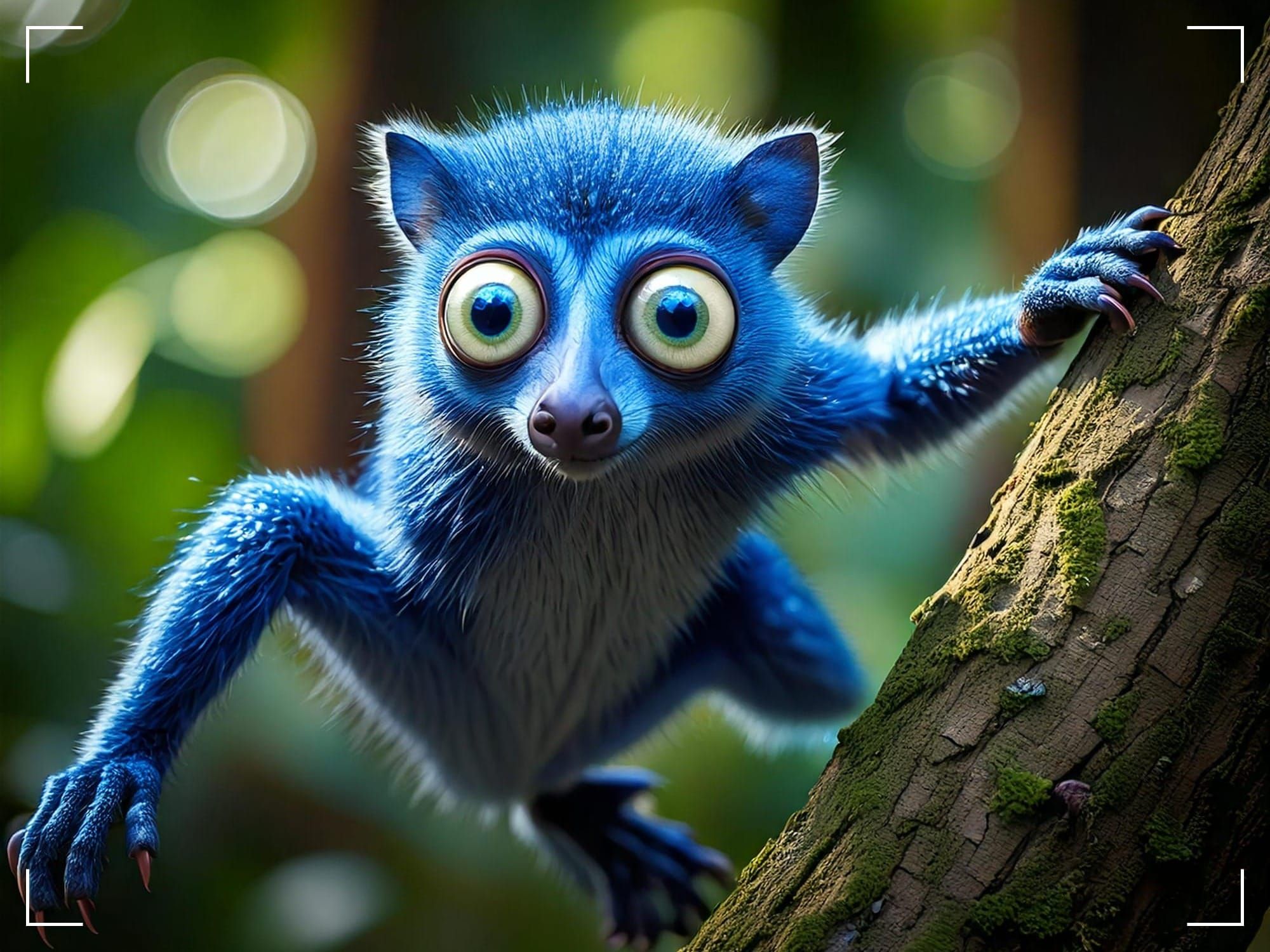
Prompt: Lemur-like Alien creature with big eyes, jumping from a tree
Second try. Slightly different prompt. The movement and fur is impressive. It seems to focus big on realism, not taking the «alien» prompt in the first try very far. The addition of «Blue lemur» really helped the output to have more of an alien look. Alright, this could be interesting.
Prompt: Blue Lemur-like Alien creature with big eyes, jumping from a tree
Third try – wait.
That’s it. Trial over.
Turns out, I could generate two videos before Firefly locked me out.
And here’s the kicker: Even though I pay for an Adobe subscription (which comes with 1,000 Firefly credits per month), those credits don’t apply to video generation.
Also, one video costs 10 credits. If every output were a masterpiece on the first try, maybe that would be fine. But that’s not how creative work happens. You need iterations, previews, variations – which Firefly doesn’t give you.
Okay, I am a bit bummed. So let's check out the pricing. I live in Switzerland, and these are my options:
- $12 gets me 20 videos
- $36 gets me 70 videos
Seems fairly standard – I thought. But to be sure, let’s compare this to other AI video tools.
Here’s what some competitors offer
Pika: 150 free credits are offered per month. Depending on the model, you can get 2.5 to 30 videos for free. For $8 a month, you get 700 credits – depending on the model you use, this could be between 11 and 140 videos.
Pika 1.5 | Prompt: Blue lemur-like alien creature with big eyes, jumping from a tree
Kling: They offer 144 free credits per month. Standard video generating mode costs 20 credits for a 5 sec video. Professional mode costs 35 credits but you get three 3 previews, which I really like. If you decide on a subscription the cheapest option is $7 and gets you 660 credits. So about 18 to 22 Videos.
Kling 1.6 | Prompt: Blue lemur-like alien creature with big eyes, jumping from a tree
MiniMax: You get 1,000 free credits upfront, which you have to use up in the first three days. A model I really like, as it gets you through the door without braking a bank. And you can just play around. After that you get 100 free credits per day. Each video generation costs 30 credits. I love that – it enables you to just play around (which I did here). If you decide on a subscription, the cheapest one will cost you $9 for 1,000 credits per month or approximately 33 videos.
MiniMax | Prompt: Blue lemur-like alien creature with big eyes, jumping from a tree
Luma: Is closest to the Adobe model. It gives you 400 free starting credits or again about two videos. The cheapest subscription costs you $7 gets and you should be able to create 6 videos from the 3,200 credits. But there is one perk: You always get two previews while generating. Essentially doubling the output.
Ray 1.6 | Prompt: Blue lemur-like alien creature with big eyes, jumping from a tree
Runway: Offers you 125 free credits upfront, this is enough for a 10 seconds of video with Gen-3, 16 seconds with Gen-2. For 12$ you’ll get 625 credits per month. Which according to their website also comes out to 10 sec with Gen-3 or 16 seconds with Gen-2. The math isn’t really mathing on this one for me.
Gen-3 Alpha Turbo | Prompt: Blue lemur-like alien creature with big eyes, jumping from a tree
And then, of course, we have Sora and Veo2, which aren't available where I live yet. That's why I decided to leave them out (for now).
But with ByteDance just introducing Goku – a new AI model that might outperform Sora – things definitely will get heated on this front. According to benchmarks, it scores 0.76 on GenEval and 84.85 on VBench for text-to-video generation. If that sounds like gibberish, the takeaway is: It’s fast, powerful, and could shake up the market.
(If you want to geek out on the details, here’s a deep dive: Medium.com: ByteDance Goku AI).
Final Thoughts
So yeah… I’m a bit bummed. I wanted to test camera movements, different landscapes, some human animations – but that has to wait.
Of course video generation can’t be free for everyone. If you want you can watermark or give me crap resolution – just let my experiment.
That is why I love the pricing or credit model from MiniMax. Time limited credits to just play around and take your first steps.
However the biggest turn off is, that my current credits do not apply. Or give me other benefits more variations and previews, so I can actually explore its capabilities.
For now, I’ll stick MiniMax – they offer way better value and actually let you experiment before asking for money.